
Microsoft Copilot AI empowers MSMEs with smart website design, image creation, email writing, CV building, translation, and error‑free English communication.
1. Features of Microsoft Copilot
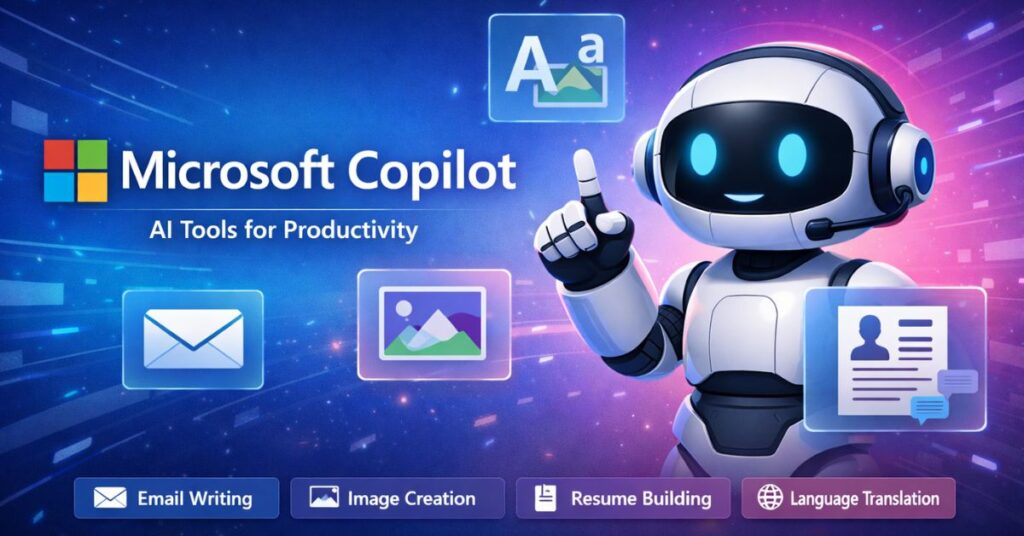
Microsoft Copilot is one of the most advanced AI tools available today, designed to make work faster, easier, and more accurate. Its main feature is natural language understanding, which means it can read and respond to human text in a smart way. This helps users write emails, reports, and documents without grammar mistakes. Copilot also provides suggestions that improve clarity and style, making communication more professional.
Another important feature is integration with Microsoft applications. Copilot works smoothly inside Word, Excel, Outlook, and other tools, so users can create content, analyze data, and manage tasks without switching platforms. It saves time by automating repetitive work, such as formatting documents, summarizing long texts, or generating quick drafts.
Copilot also supports creativity. It can help design presentations, create structured plans, and even generate ideas for marketing campaigns. For businesses, this means better productivity and stronger digital presence. Its AI engine learns from context, so the more you use it, the more personalized and useful its suggestions become.
Multilingual support is another strong feature. Copilot can translate text between languages, making it easier for global teams to communicate. It also adapts to different industries, whether you are in education, technology, or business. Security is built in, ensuring that sensitive information stays protected while you work.
In short, Microsoft Copilot combines writing assistance, automation, creativity, translation, and integration into one powerful AI tool. It helps professionals, startups, and enterprises achieve more with less effort, making it a trusted partner in digital growth.
2. Tools like Image Creation
Microsoft Copilot is not only a writing assistant but also a powerful tool for creating images. One of its most useful features is the ability to generate professional visuals quickly and easily. Users can create banners, posters, and social media graphics without needing advanced design skills. Copilot helps by suggesting layouts, choosing colors, and adding text in a clean and clear way. This makes it perfect for small businesses, startups, and professionals who want to present their ideas visually.
Another strong feature is flexibility. Copilot can create both horizontal and vertical image formats, so the same design works across websites, LinkedIn, Instagram, and other platforms. It ensures that images are optimized for digital marketing and branding. The tool also supports minimalist designs with big fonts, which are easy to read and effective for communication.
Copilot’s image creation is guided by AI, meaning it learns from user preferences and improves results over time. It can generate multiple versions of an image, giving users options to choose the best one. This saves time and reduces the need for expensive design software or external designers.
For professionals, Copilot makes it simple to create visuals that match their brand identity. Whether it is a promotional banner, a product showcase, or a festive greeting, Copilot delivers images that are clear, modern, and ready to use. By combining creativity with automation, Microsoft Copilot ensures that image creation is fast, affordable, and professional for everyone.
3. Library and Knowledge Hub
Microsoft Copilot is more than just a writing or design assistant—it also works as a powerful library and knowledge hub. This feature allows users to access information, research, and insights directly through AI. Copilot can summarize long articles, highlight key points, and provide context so that professionals save time while staying informed. Instead of searching through multiple sources, users can rely on Copilot to deliver accurate and relevant knowledge in a simple format.
The library feature is especially useful for businesses and individuals who need quick access to industry trends, technology updates, or enterprise news. Copilot can scan large amounts of data and present it in clear, easy‑to‑understand language. This makes it easier to make decisions, prepare reports, or create content that is backed by reliable information.
Another advantage is personalization. Copilot learns from the user’s preferences and tailors the information it provides. For example, if someone often works with technology or AI topics, Copilot will prioritize related insights. This ensures that the knowledge hub is not generic but focused on what matters most to the user.
Copilot also supports SEO‑friendly content creation by helping writers include the right keywords and structure. This makes blogs, articles, and reports more visible online. With its ability to combine research, summarization, and contextual guidance, Copilot’s library and knowledge hub feature becomes a trusted digital partner. It helps professionals stay updated, informed, and ready to act in today’s fast‑moving business environment.
4. Practical Uses: Email, CV, Translation
Microsoft Copilot is a smart AI tool that helps professionals complete everyday office tasks with speed and accuracy. One of its most common uses is email writing. Copilot can draft emails in clear, error‑free English, making communication more professional. It suggests better words, corrects grammar, and ensures that messages are polite and easy to understand. This saves time and helps users focus on important work instead of worrying about language mistakes.
Another practical use is CV creation. Copilot can help job seekers build professional resumes by organizing information in a structured way. It highlights skills, experience, and achievements, ensuring that the CV looks polished and ready for competitive markets. This feature is especially useful for fresh graduates or professionals who want to present themselves confidently.
Copilot also supports translation, which is very important for global communication. It can translate text between languages quickly and accurately. For example, English emails can be translated into Marathi or other languages, making communication inclusive and accessible. This helps businesses and professionals connect with wider audiences without language barriers.
In addition, Copilot assists with image creation, helping users design banners, posters, and social media graphics. It combines creativity with automation, so visuals are professional and easy to use. By offering tools for writing, design, CV building, and translation, Microsoft Copilot becomes a complete office assistant. It ensures that daily tasks are done faster, with fewer errors, and with more confidence, making it one of the best AI tools for modern work.
Best AI Tools: Microsoft Copilot – By Sagar Dalvi
Microsoft Copilot is the best AI tool for professionals and businesses. It improves office work by making tasks faster, smarter, and error‑free. Copilot supports email writing, CV creation, translation, and image design with advanced AI features. It understands natural language, corrects grammar, and delivers professional results.
This tool does not replace human jobs but helps people upgrade their skills and work more efficiently. With Copilot, teams can save time, improve communication, and stay competitive in the digital age. It is the perfect AI assistant for modern workplaces.
By Sagar Dalvi, Technical Head (Red Hat 2017 & Cisco Certified 2015)